
Protect Your Data: Essential Mobile Device Security Tips
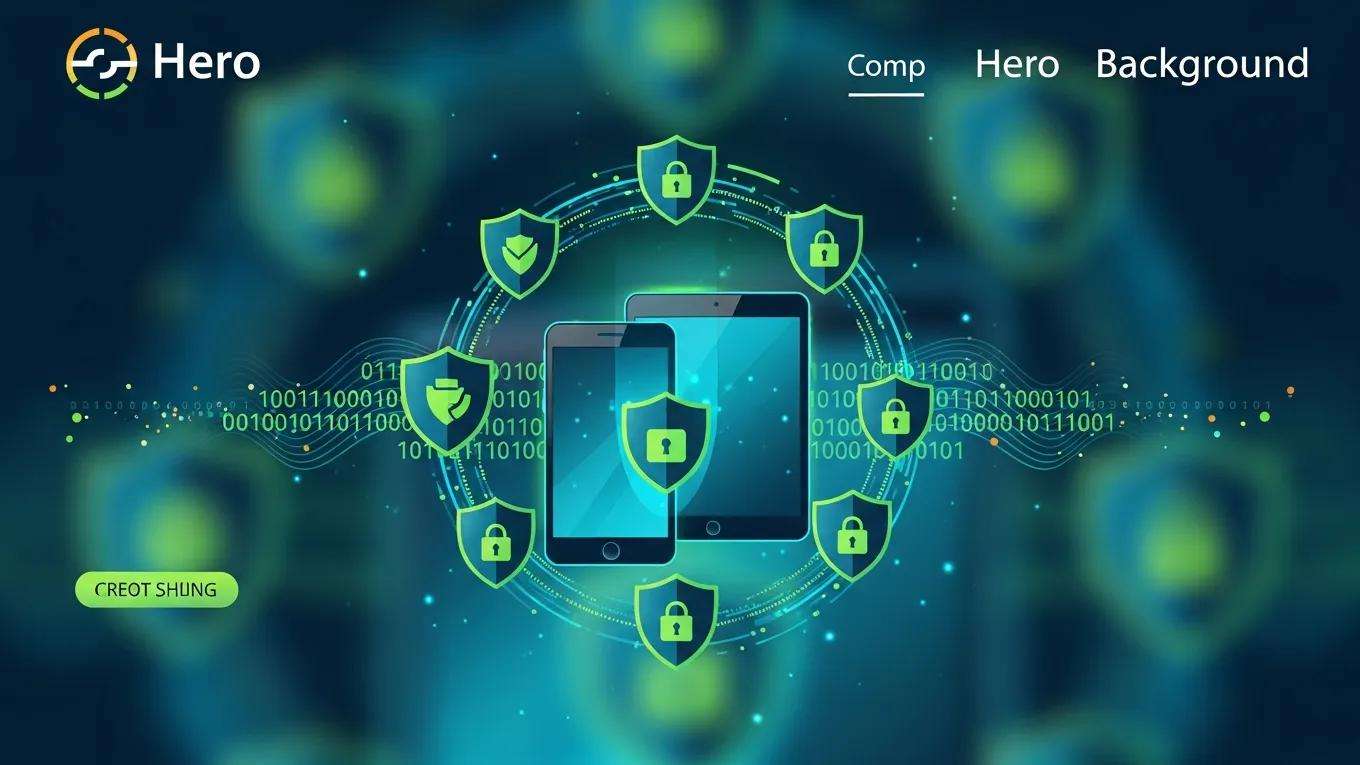
Mobile Device Security for Businesses: How to Protect Your Smartphones and Tablets Effectively
Mobile device security covers the policies, technical controls and user practices that keep smartphones and tablets from becoming attack vectors for data breaches and service disruption. This article explains why securing mobile endpoints matters to businesses, how threats operate, and which practical controls — from policy design and MDM/UEM to encryption, ISO 27001 mapping and staff training — deliver measurable risk reduction. Organisations increasingly use personal and corporate mobile devices for sensitive work, creating a mix of BYOD and corporate-owned models that require clear governance and technical enforcement to preserve confidentiality, integrity and availability. The guide that follows offers a structured approach: it first outlines the current threat landscape, then shows how to write and enforce mobile security policy, choose and operate MDM, apply encryption and VPN best practice, map mobile controls to ISO 27001, and train staff to recognise mobile phishing and other social-engineering risks. Throughout, readers will find audit-ready checklists, EAV tables that map policy and technical controls to evidence, and operational steps tailored for SMEs, government and NGOs to help prioritise controls and prepare for compliance reviews.
What Are the Biggest Mobile Security Threats Facing Businesses Today?
Mobile device security threats are varied but share a common effect: they compromise credentials, data or device integrity by exploiting technical flaws, weak configuration or user behaviour. Attackers use phishing and smishing to harvest credentials, deploy mobile malware that abuses app permissions, exploit OS or app vulnerabilities, and target devices over unsecured Wi-Fi to intercept traffic. Device loss or theft remains a major vector for data exposure when encryption, strong authentication and remote wipe are absent, and supply-chain risks introduce compromised firmware or preloaded malware on devices. Understanding these threat categories helps organisations prioritise countermeasures that align with business impact and regulatory obligations.
This list summarises the primary threats and their immediate business impacts:
- Phishing / Smishing: Credential theft and session hijack leading to unauthorised access.
- Mobile Malware: Data exfiltration or covert privilege escalation via malicious apps.
- OS & App Vulnerabilities: Remote code execution or privilege escalation on unpatched devices.
- Unsecured Wi-Fi / Man-in-the-Middle: Interception of sensitive communications and credentials.
- Device Loss / Theft: Direct data exposure when device encryption or access controls are weak.
- Supply-Chain Compromise: Preinstalled malware or tampered firmware that undermines device trust.
Recognising these threats makes it easier to allocate controls by likelihood and impact; the next subsections tailor the threat profile for specific audiences so organisations can focus scarce resources on the highest-return mitigations.
Which Mobile Threats Should SMEs, Government, and NGOs Watch For?
Different organisations face different risk priorities, but many controls are shared across sectors because the threats exploit common vectors such as credentials and insecure apps. SMEs often encounter phishing and device loss most frequently, with outsized impact because a single compromised account can expose customer data or payments. Government and infrastructure providers must prioritise supply-chain integrity, OS patch management and rigorous access controls to meet NIS 2.0 and sector-specific continuity requirements. NGOs handling sensitive beneficiary data should emphasise secure communications, encryption and robust device provisioning to prevent inadvertent disclosure and to meet data protection expectations.
For all audiences, prioritisation follows a risk-based approach: identify assets accessed from mobile devices, assess the impact of their compromise, and map controls to the highest-risk asset classes. This focus ensures limited budgets target MFA, MDM/UEM and encryption for high-value use cases first, while maintaining pragmatic measures for lower-risk scenarios.
How Do Phishing, Malware, and Device Loss Impact Mobile Security?

Phishing and smishing operate by convincing a user to disclose credentials or install a malicious app or profile; once credentials are captured, attackers can bypass network defences and access cloud services used by mobile apps. Mobile malware may request excessive permissions or exploit OS bugs to access keystrokes, stored tokens and files, often operating stealthily until an opportune moment. Device loss or theft turns an unattended endpoint into a direct vulnerability, exposing cached data and logged-in sessions unless encryption, strong lock screens and remote wipe are enforced. The consequences include regulatory breaches, loss of customer trust and operational disruption when privileged accounts or critical data are exposed.
Mitigations combine technology and behaviour change: enforce strong authentication and device posture checks, use per-app VPNs or zero-trust network access for sensitive apps, and ensure remote wipe and encryption are mandatory. These controls reduce the attack surface for credential theft, limit the blast radius of malware, and make device loss a recoverable incident rather than a catastrophic breach.
Phishing, SMiShing, and Vishing Threats on Mobile Devices
This study is an exploratory assessment of Phishing, SMiShing and Vishing attacks against mobile devices. It examines the implications of end-user behavior towards mitigating the risks posed by using mobile devices for online services and facilities. Phishing is that socially engineered attack aimed at enticing unsuspecting users with familiar websites spoofed and purported to come from a legitimate organization or source. It lures the user to furnish the assailant with the user’s access credentials, for which privileged access would be gained to harm the user. SMiShing attacks also happen whenever text messages are sent for the user to either click on a link provided, which leads to a fraudulent website or for the attacker to get access to the user’s contacts and/or any other confidential information. Vishing is a voice phishing attack, whereby a voice call received from an assailant lures the target into providing personal information with the intention to use that inf
How Can Businesses Develop an Effective Mobile Device Security Policy?
A mobile device security policy defines scope, roles and enforceable technical and behavioural requirements for BYOD and corporate-owned devices so that device use aligns with the organisation’s risk appetite and legal obligations. Effective policies explain which devices and platforms are covered, the acceptable use rules for corporate data, mandatory baseline controls (MFA, encryption, OS updates), and the enrolment and offboarding procedures that enforce data separation and liability. The policy should be auditable, referencing evidence types such as device inventories, MDM logs and acceptance agreements so the ISMS can demonstrate control implementation during an audit.
Below is an audit-ready checklist mapping policy elements to purpose and a sample implementation step in a concise EAV-style table.
This table helps compliance teams assemble the evidence an auditor will request. To implement these policy elements effectively, organisations should follow a documented approval and review cadence, and automate enforcement where possible to reduce human error and ensure consistent application.
ACATO can assist organisations that need consultative support to translate these policy components into auditable artefacts and ISMS processes. Their approach focuses on aligning BYOD and corporate-owned device rules with ISO 27001 controls, producing templates and evidence that suit SMEs, government entities and NGOs while preserving operational flexibility. If a business seeks tailored policy development, ACATO offers advisory services to design, document and implement mobile policies and to advise on enforcement mechanisms; organisations are invited to contact ACATO for a free initial consultation to scope policy work.
What Are the Key Elements of a BYOD Security Policy?
A BYOD policy must clarify enrolment steps, minimum device baselines, permitted and prohibited apps, and data separation techniques to reduce data leakage risk on personal devices. Mandatory technical requirements typically include device encryption, up-to-date OS versions, enforced screen locks and mandatory MFA for corporate account access. The policy should require employees to consent to a defined level of device management — for example, a corporate container or app-level management — while limiting visibility into personal data to respect privacy and GDPR obligations. Sample clauses should specify liability for lost or compromised devices and the organisation’s right to perform selective wipe of corporate data only, with clear offboarding procedures.
Collecting and preserving evidence — device inventory snapshots, enrolment acknowledgements, MDM compliance logs — is essential for audit readiness and helps demonstrate that BYOD controls were implemented consistently and proportionately.
How Should Companies Enforce and Review Mobile Security Policies?
Enforcement combines automatic technical controls via MDM/UEM with governance measures such as policy sign-off and scheduled reviews to ensure controls remain effective over time. Technical enforcement examples include conditional access that blocks access from non-compliant devices, automated remediation for missing patches, and remote lock/wipe capabilities tied to HR offboarding events. Review cadence typically includes quarterly technical reviews of compliance dashboards and annual policy reviews to reflect platform changes, threat evolution and regulatory updates such as NIS 2.0. Key performance indicators (KPIs) to monitor include percentage of compliant devices, time-to-enrolment for new users, and incidents attributed to mobile endpoints.
Documented review and enforcement processes provide auditors with the evidence chain they expect, linking policy statements to operational artefacts and demonstrating ongoing control effectiveness.
What Are the Best Practices for Implementing Mobile Device Management Solutions?

Mobile Device Management (MDM) and Unified Endpoint Management (UEM) solutions provide centralised enforcement of security configurations, application management and inventory reporting, making them a cornerstone of mobile device security. Best practices include selecting a scalable platform that supports required OS versions, integrating MDM with identity providers for SSO and conditional access, and designing staged rollouts that start with pilot groups. Operational configurations should enforce remote wipe, encryption checks, app allowlists/blocklists, compliance reporting and automated patch management to reduce exposure to known vulnerabilities. Combining MDM with Mobile Application Management (MAM) or containerisation enables precise separation of corporate and personal data while limiting invasive controls on personal content.
The following checklist helps procurement and security teams evaluate vendors and configuration needs.
- Integration: Ensure MDM integrates with existing directory services and SSO.
- Platform Coverage: Verify feature parity across iOS and Android as required.
- Security Features: Prioritise remote wipe, encryption enforcement and compliance reporting.
- Privacy Controls: Choose options that support user privacy for BYOD deployments.
- Scalability & Support: Assess vendor support, upgrade paths and SLAs.
Selecting and deploying MDM effectively requires vendor-neutral, risk-focused advice. ACATO provides consultancy to help organisations evaluate MDM/UEM options, align technical configurations with ISMS requirements, and plan vendor-neutral RFPs and staged rollouts that reduce disruption. ACATO’s role is advisory and implementation-focused, helping clients integrate MDM into broader cyber security controls and ISMS documentation while preserving privacy and compliance objectives.
How to Choose the Right MDM Solution for Your Business Needs?
Choosing an MDM solution should follow a risk-and-use-case-driven scoring exercise that balances security features, platform support, privacy, cost and operational overhead. Begin with an RFP that captures required integrations (identity provider, email systems, VPN), mandatory security features (remote wipe, per-app VPN, compliance reporting) and deployment constraints for BYOD versus corporate-owned fleets. Use a simple scoring matrix that weights security and compliance requirements higher for regulated sectors such as government or infrastructure, and emphasise vendor neutrality to avoid lock-in.
A pilot deployment with representative users validates integration and user experience before organisation-wide rollout, reducing disruption and revealing configuration issues that may impede adoption.
What Features Should MDM Include for Smartphones and Tablets?
Organisations should prioritise features that directly reduce risk and support audit evidence, including remote wipe/lock, enforced encryption, application allowlisting/blacklisting, compliance reporting, device posture checks and automated OS patching. Device posture checks feed conditional access policies that block or limit access from non-compliant devices, while per-app VPN and MAM help protect sensitive data in transit and at rest without overreaching on personal device privacy. Inventory and reporting features are essential for audit trails, demonstrating the scope and effectiveness of controls.
These features map directly to operational evidence auditors expect, and their configuration should be defined in policy and enforced via MDM to maintain consistency across the device fleet.
How Does Data Encryption Protect Mobile Devices and Business Data?

Encryption ensures that data stored on devices or transmitted over networks remains unreadable without the correct keys, protecting confidentiality even if a device is stolen or network traffic is intercepted. Full-disk encryption secures local storage by encrypting the device file system, while file-level or container encryption protects specific corporate files or app containers and supports selective wipe. Key management and integration with an enterprise Key Management System (KMS) are critical: poorly managed keys can render encryption ineffective or create recoverability problems that impede business continuity.
In transit, VPNs and TLS protect data exchanged between mobile apps and backend services; per-app VPNs and split-tunnelling choices should align with zero-trust principles to limit unnecessary exposure. Carefully designed encryption and key-management policies balance protection with usability and recovery considerations.
Mobile Device Encryption Systems for Business Security
The initially consumer oriented iOS and Android platforms, and the newly available Windows Phone 8 platform start to play an important role within business related areas. Within the business context, the devices are typically deployed via mobile device management (MDM) solutions, or within the bring-your-own-device (BYOD) context. In both scenarios, the security depends on many platform security functions, such as permission systems, management capabilities, screen locks, low-level malware protection systems, and access and data protection systems. Especially, the latter play a crucial rule for the security of stored data. While the access protection part is related to the typically used passcodes that protect the smartphone from unauthorized tempering, the data protection facility is used to encrypt the core assets – the application data and credentials. The applied encryption protects the data when access to the smartphone is gained either through theft or malicious software.
What Types of Encryption Are Essential for Mobile Security?
Essential encryption types for mobile security include native platform full-disk encryption provided by iOS and Android, app-level encryption for sensitive data blobs, and container-based encryption for corporate data separated from personal files. Enterprises should require that devices enforce native encryption by default and supplement it with application-level cryptography for high-value assets. Integration with an enterprise KMS for key rotation and recovery ensures encrypted data remains accessible to authorised systems while maintaining audit logs of key usage.
Practical implementation includes verifying encryption status via MDM reports, documenting key custody and recovery procedures, and ensuring backup data are encrypted with enterprise-controlled keys.
How Do VPNs and Secure Communication Protocols Enhance Mobile Data Protection?
VPNs and secure communication protocols secure data-in-transit by creating encrypted tunnels between the mobile device and corporate resources, preventing interception over untrusted networks. Per-app VPNs offer granularity by routing only corporate app traffic through the VPN, reducing performance impacts and protecting personal traffic privacy on BYOD devices. When considering split-tunnelling, organisations must weigh the performance benefits against added exposure; zero-trust designs often prefer conditional access and per-app protections to limit risk.
Secure messaging and email protections such as S/MIME or end-to-end encryption for high-sensitivity communications complement VPNs by ensuring content remains protected end-to-end, even if network-level protections fail.
How Does ISO 27001 Support Mobile Device Security Compliance?
ISO 27001 provides a risk-based framework that helps organisations identify mobile-related threats, implement proportionate controls and collect evidence for audits, making it a natural fit for structured mobile device security programmes. Applying ISO 27001 and mapping Annex A controls to mobile-specific implementations ensures policies, procedures and technical measures are auditable and aligned with an ISMS. The following EAV-style table links Annex A controls to mobile implementations and shows example evidence that auditors typically request.
Mapping controls this way helps teams create the documentation and evidence trail needed for certification. Evidence examples include policy documents, device inventory exports, MDM compliance reports and incident logs demonstrating timely remediation.
Organisations often struggle to translate abstract ISO controls into concrete MDM settings and evidence artefacts; ACATO helps bridge that gap by advising on how to implement and document mobile controls within an ISMS and by preparing clients for audit scenarios. Their ISO 27001 support includes mapping Annex A controls to technical settings, drafting audit-ready documentation templates, and advising on evidence retention strategies; organisations can request a free consultation to discuss ISO-aligned mobile security planning.
What Are the ISO 27001 Annex A 8.1 Controls for Mobile Devices?

Annex A references relating to asset management, access control and operations security are most relevant to mobile devices because they require organisations to identify assets, control user access and maintain secure operational procedures. For mobile endpoints, these translate into maintaining a device inventory (asset registers), enforcing access controls (MFA and conditional access), and operationalising patching and monitoring through MDM. Evidence for auditors typically includes the asset register export, MDM compliance logs showing enforcement actions, and records of policy sign-offs and user enrolment acknowledgements.
Organising these artefacts in the ISMS repository with cross-references to policy clauses and implemented controls simplifies audit workflows and demonstrates control consistency across people, processes and technology.
How Can Businesses Integrate Mobile Security into Their ISMS?
Integrating mobile security into an ISMS follows a phased approach: assess (inventory and risk assessment), design (policy and control selection), implement (MDM, encryption, MFA), monitor (compliance dashboards and KPIs) and review (periodic audits and updates). Each phase should produce artefacts — risk registers, policy documents, implementation records and monitoring reports — that form the evidence base for certification and continuous improvement. For resource-constrained SMEs, a phased rollout that focuses first on high-value assets and critical user groups provides immediate risk reduction while building organisational capability.
Documenting responsibilities, change control for mobile configurations and incident response playbooks within the ISMS ensures mobile controls are not siloed and are subject to the same governance and review cycles as other information security domains.
Why Is Employee Security Awareness Training Critical for Mobile Device Protection?

Employee behaviour is often the weakest link in mobile device security because phishing, risky Wi-Fi use and misconfiguration usually require human action before an exploit succeeds. Awareness training targets these behaviours by teaching staff to recognise mobile phishing and smishing patterns, to avoid installing untrusted apps, and to follow secure provisioning and offboarding procedures. Training should be practical, role-based and repeated at regular intervals with simulations that measure effectiveness; reinforcing content through microlearning and targeted phishing exercises improves retention and reduces incident rates. An effective training programme also defines clear reporting channels and expected response times so that suspected incidents are escalated and contained quickly.
Linking training outcomes to measurable KPIs such as simulated-phish click rates and time-to-report helps security teams demonstrate improved resilience and supports management decisions on further investment.
What Are the Best Practices for Mobile Security Awareness Training?
Best-practice training covers phishing and smishing recognition, secure configuration (screen lock, updates), safe Wi-Fi habits, app vetting and the organisation’s reporting workflow for suspicious messages or lost devices. Delivery methods that work well include short microlearning modules, role-based workshops for high-risk teams, and periodic simulated phishing campaigns that provide hands-on learning. Training metrics should include click rates on simulations, user reports filed and remediation times, enabling continuous improvement and targeted follow-up for higher-risk employee groups.
Combining technical enforcement (MDM posture checks) with behavioural interventions ensures that even when users make mistakes, compensating controls limit potential damage.
How Can Employees Recognize and Report Mobile Phishing and Other Threats?
Employees should be trained to identify red flags such as unexpected requests for credentials, messages that create urgent pressure to act, unknown sender addresses, links leading to non-official domains and unsolicited attachments or profile installation prompts. A simple reporting workflow — capture a screenshot, forward to the security mailbox or reporting tool and mark the device as potentially compromised — helps security teams triage alerts quickly. Organisations must communicate expected response times and provide reassurance about consequences for reporting so staff feel empowered to report without fear.
Clear, practised reporting flows reduce dwell time for mobile threats and create the logs needed for forensic analysis in the event of an incident.
ACATO’s advisory services include designing tailored awareness programmes and incident response playbooks that connect mobile security training to operational detection and forensic readiness. Their support covers curriculum design, simulated phishing exercises and recommendations for integrating training metrics into the ISMS. Organisations seeking help to translate training into measurable security outcomes are invited to request a free consultation to scope an awareness and incident response engagement that fits their sector and risk profile. ACATO provides consultancy in ISO 27001, cyber security, data protection and IT forensics to help organisations prepare for audits and respond effectively to mobile incidents.